
Snake.io+ provides players with the ability to customize their in-game identity. Changing your name is quick and easy, and it’s a great way to stand out in the arena.
Here’s how to do it:
- Open the game and go to Settings.

- Tap Upload ID and Scores.

- Read and accept the terms, then tap Allow.

- Go back to the homepage and tap your name box.

- Tap Go to Game Center.

- You will be redirected to the Game Center. Select Customize Profile.
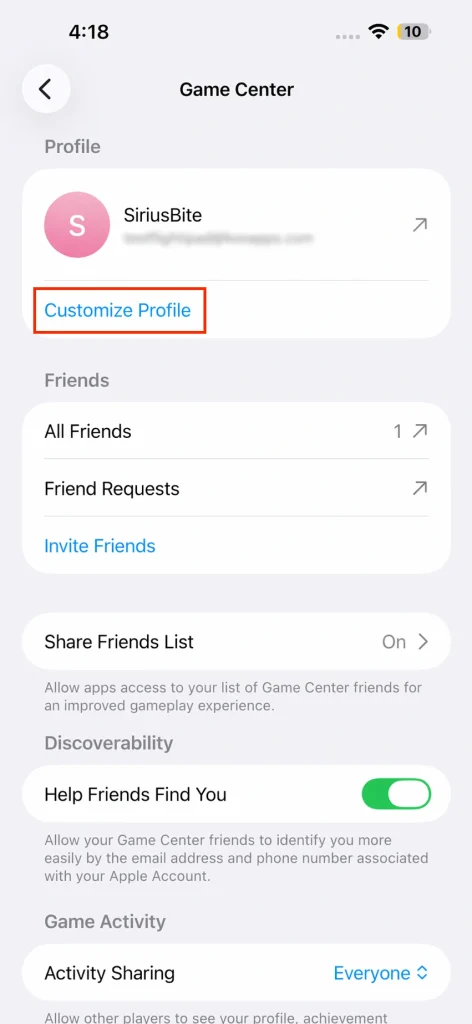
- Enter your new name and save your changes.

Your new name will now appear in-game. Choose a name that fits your style and make your mark in the arena. If you’re ready to dominate the leaderboard, see why everyone is hooked on this addictive multiplayer game. Snake.io+ is a hypercasual game available on the Apple Arcade.