
In Snake.io, players equip different snakes to showcase their individuality and style. Changing snakes only takes a few taps, making it easy for players to customize their look and jump back into the game.
Got a new snake that you want to try out? In this tutorial, you will learn how to change your snake in Snake.io.
1. Download and Launch the Game
Snake.io is a hypercasual game designed to be played with any device, so players can enjoy the game wherever they are. The game is available on multiple platforms, including the Apple App Store, Google Play Store, Apple Arcade, Amazon, Xbox, and Nintendo Switch.
2. Go to the Snakes Menu
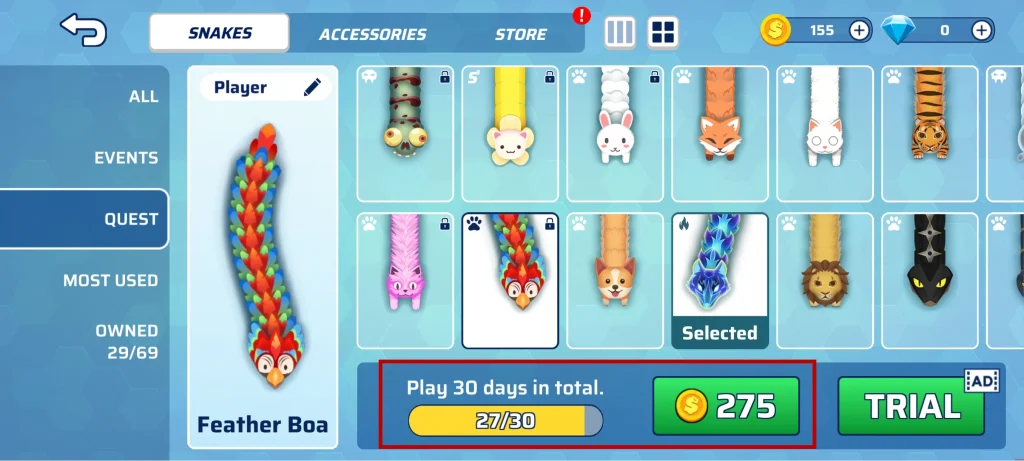
Once you’ve launched the game, tap the “Change Snakes” button in the Main Menu. Here, you’ll find the collection of snakes available in-game. Browse around the variety of options and check out descriptions for each snake.

3. Equip the Snake
While some snakes in Snake.io can be used immediately, some need to be unlocked by the player by completing quests, participating in events, or purchasing them with in-game currency. The description box indicates how each snake can be unlocked.
4. Play and Enjoy
You are now ready to play with your brand new snake. Show off your style as you become the biggest snake in the arena!